#{ item.name }
#{ truncateText(item.metadescription) }

02.16.2024
Published by: Ryan Kuhlenbeck
For years, MES implementation has been slow, costly, and intimidating. It doesn’t have to be.
Take PICO. It’s designed for simplicity—so much so that customers often see ROI within weeks, not years. We’ve streamlined the entire process to be intuitive and operator-friendly:
Get started instantly with a free, cloud-based version of PICO MES to digitize your work instructions. For full error-proofing and traceability—by connecting tools and systems—you’ll need an on-premise or hybrid setup. That includes a compact hardware kit, all neatly packed into a single box.
➡️ View our Plans & Pricing to see what level of Pico MES best suits your factory needs.
Let's explore the hardware components included for an on-premise deployment of Pico MES:
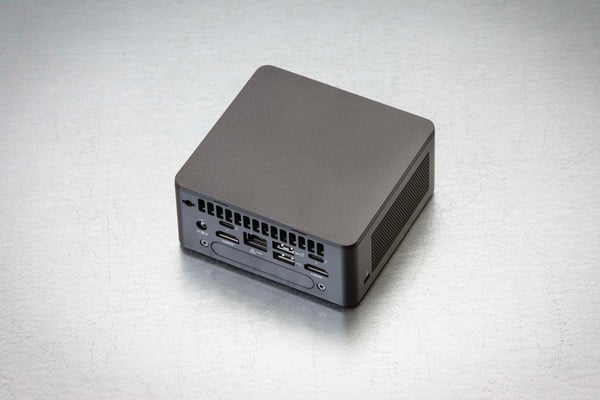
“The brains of the operation”
This is the mini server that runs the Pico MES application on-premise and plugs into your company’s network. Check out our Technical Guide for more details on the IT infrastructure of your Pico MES deployment.
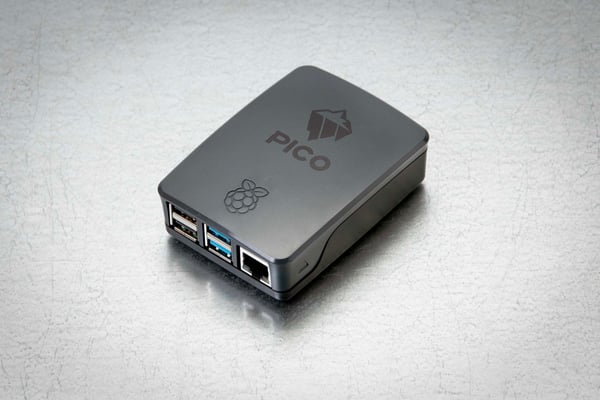
“The IOT gateway” (2 are included in every box)
The Hub makes non-IOT devices, IOT-capable, helping manufacturers connect tools for traceability and error-proofing on the shop floor. Getting devices online and communicating data back to the server is truly plug-and-play. With legacy systems, the burden of device integration falls on the customer or system integrator, which makes implementation costs so expensive. With Pico MES, all hardware integration is free for commercially available tools.
➡️ View our library of 300+ devices and tools, with new integrations added monthly
Each Hub can drive a connected workstation and has 4 USB ports which connect various tools such as badge readers, barcode scanners, torque tools, and more. There are also HDMI outputs for monitors. Our device library has over 300 devices to select from and continues to grow with customer demand.
Power supplies as well as 2 HDMI cables to connect monitors or touchscreens are included, and the Hubs automatically connect to the Pico server to get your shop floor up and running lightning fast ⚡
1. Mounting brackets and fasteners for the Pico server
A mounting bracket with fasteners is included in case you’d like to mount the server to a wall or any other necessary application. Disregard if you don’t need it.
2. 3D printed mounting bracket and Velcro tape for Pico Hubs
Some customers find these useful in keeping the workstation clean. Again, this is optional.
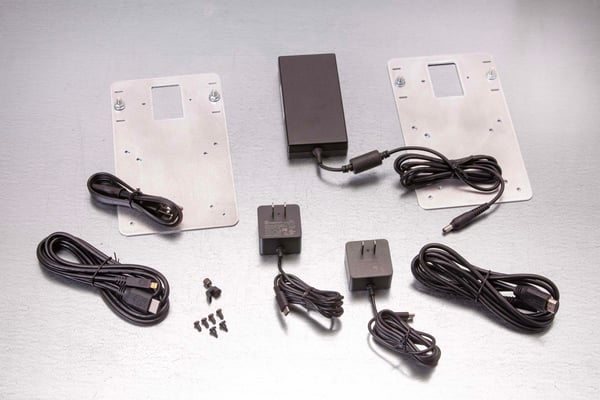
Mounting brackets for the server and hubs
3. Vesa mounting brackets
Monitors and TVs use a standard that's called Vesa VCA with different pull patterns on the back of the monitor for mounting. The one included in this kit is for smaller monitors, such as a 75mm x 75mm and a 100mm x 100mm.
⏯️ Watch the video to learn more about a successful MES implementation:
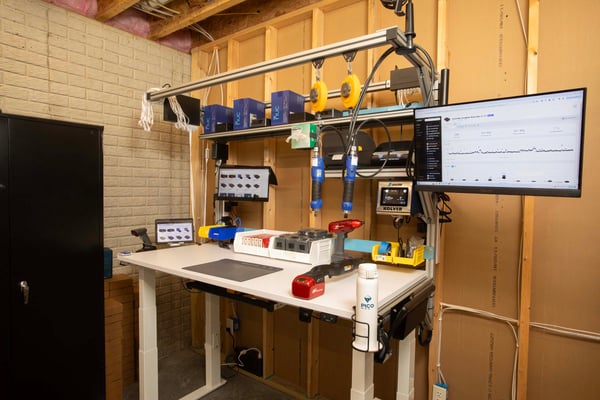
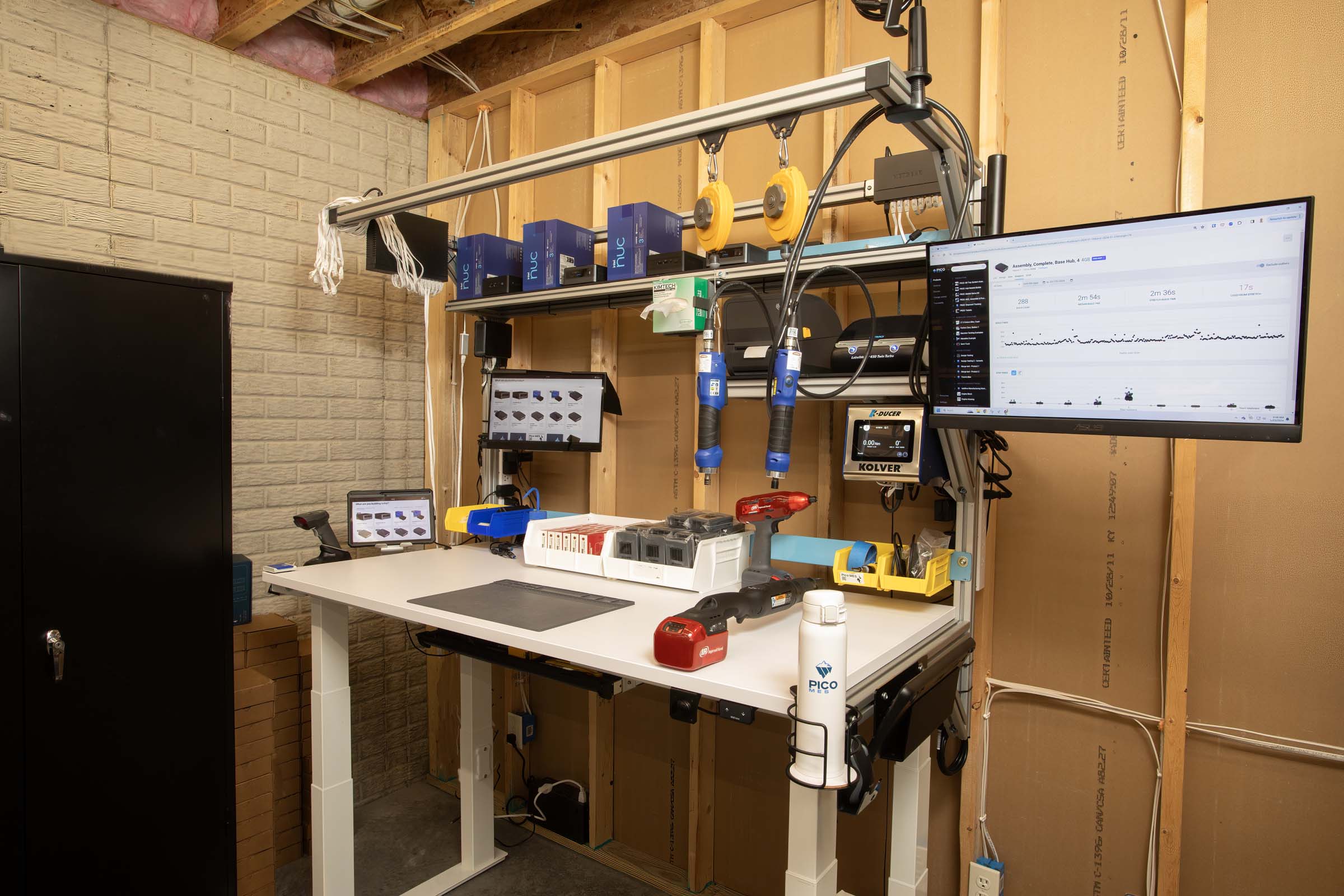
An example of a beautiful workbench, with everything mounted and out of the way. The server and 2 hubs power this entire workstation and its connected monitors, touchscreens, scanners, and assembly tools.
At Pico, we believe that setting operators up for efficient and error-proofed builds starts with a fully equipped and optimized workstation. Not only does this include easy-to-follow digital worker guidance and a suite of connected devices, but also an organized and ergonomic workstation.
💡 Check out this video on some tips & tricks on how to set up your workstations:
If you have any questions on the hardware implementation, please contact support@picomes.com.
5. Do I need an IT team to deploy PICO MES?
Not at all. PICO is designed to be plug-and-play. You don’t need an IT background, and there’s no need for outside consultants. Clear instructions and responsive support are part of the package.
Bring your shop floor together — people, tools, and data all connected in one system. No rip and replace; just connections.