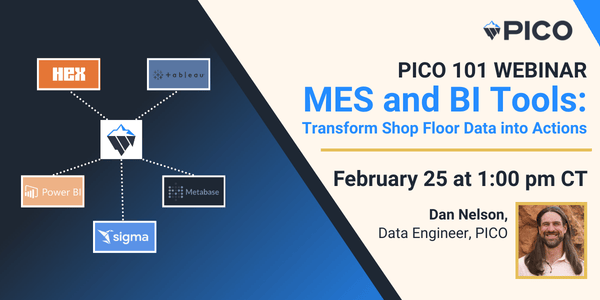
1. If PICO has native dashboards, why does PICO integrate with BI tools like Power BI, Tableau, and Hex?
PICO monitors critical manufacturing KPIs and has native dashboards for immediate shop floor visibility.
PICO integrates with BI tools like Power BI, Tableau, and Hex so customers can create custom dashboards with more extensive reporting like factory-level analytics, deeper trend analysis, and stakeholder-specific views.
PICO doesn’t try to rebuild the same capabilities that Power BI, Tableau or HEX offers because those BI platforms are proven and widely adopted.
In short: PICO gives you fast, native insights and BI integrations give you flexibility and scale when your questions get more advanced.
2. What kinds of reporting are best done in PICO vs. in external BI tools?
PICO is excellent at capturing manufacturing KPIs like cycle time analysis, traceability, and station utilization. These analytics are designed for the shop floor and give teams immediate insight into how work is flowing, where time is being spent, and how stations and processes are performing—without configuration.
External BI tools (Power BI, Tableau, Hex) are best for custom dashboards, deeper historical analysis, cross-process or multi-site rollups, and executive reporting that requires flexible slicing, aggregation, or combining PICO data with other business systems.
3. What kind of insights can PICO’s customers unlock with BI integrations?
When data captured in PICO is extended into BI tools, teams can:
- Analyze scrap, rework, and defects across processes
- Identify process variation and drift over time
- Aggregate operator-reported issues and quality notes
- Build role-specific views for quality, operations, and leadership
The result is analytics that go beyond daily reporting and support continuous improvement and decision-making
4. Is PICO’s data easy to use in external BI tools?
Yes. PICO’s core strength is that data is automatically collected, structured, and trusted at the source. This dramatically reduces the effort required to model and analyze manufacturing data compared to manual or spreadsheet-based systems.
Many customers find that once the data is available, data teams can move faster and ask better questions right away.
5. Why doesn’t PICO have a full “build-your-own dashboard” BI tool inside PICO?
PICO is deliberately optimized for what most modular MES systems struggle with: accurate, automatic data collection on the shop floor. With our IOT integration capabilities, PICO excels at capturing cycle time, traceability, station utilization, operator actions, and tool data directly from real production—not from manual entry or after-the-fact spreadsheets.
Because the most challenging problem in manufacturing analytics is obtaining trusted, structured data at the source, PICO focuses on doing that exceptionally well. It provides native dashboards for immediate operational visibility.
When customers want highly customized dashboards or advanced reporting, Power BI, Tableau, and Hex are already best-in-class for that purpose. Rather than rebuilding those tools, PICO integrates with them so customers get best-in-class shop-floor data from PICO and best-in-class analytics from BI platforms, without compromise.
6. What’s required to enable advanced BI analytics with PICO?
Advanced analytics are supported through a separate analytics database, designed to protect shop floor performance while enabling heavier analytical queries. Setup typically takes about two weeks, and PICO works closely with customers to ensure the configuration aligns with their analytics goals and environment. Set up a demo to learn more.