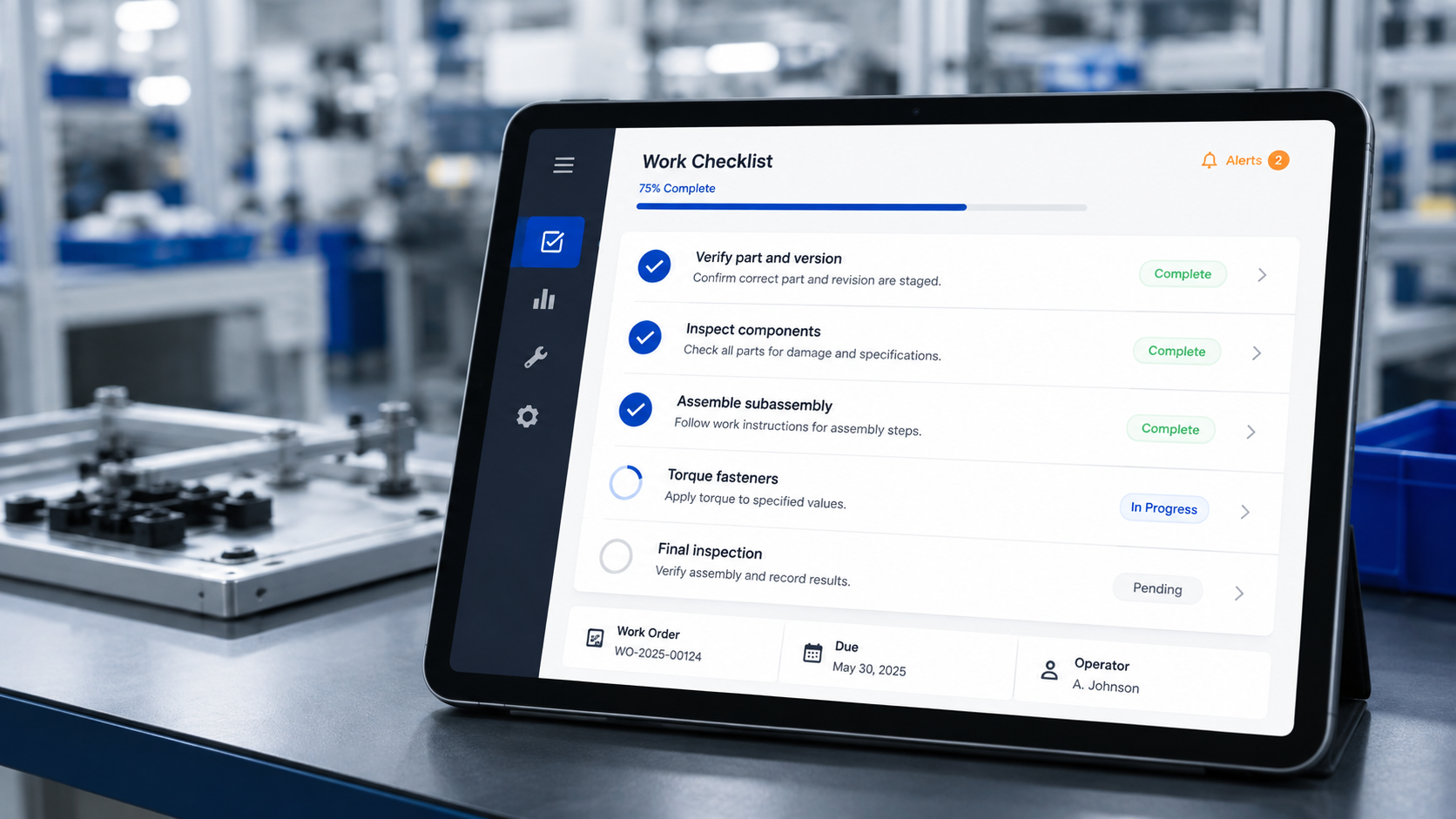
A practical guide to deploying PICO in a growing manufacturer
Who this guide is for:
This guide is for the manufacturer that has proven its product and is now trying to scale its process. The profile is consistent across the companies we see:
· 20–50 people across assembly, test, packing, and shipping
· Paper or Excel travelers used for quality checks and serial number tracking, or a combination of spreadsheets and add-ons to inventory systems
· A single top-level serial number, with subassemblies untracked
· Custom end-of-line test rigs built in-house, dumping results into a ticketing system or a spreadsheet
· High product configuration, counts - variations from a base product family
· A plan to double headcount within 18 months and potentially add shifts.
If that describes your operation, the decisions you make in the next 90 days will either compound in your favor or become technical debt you pay down for years.
Why sequencing matters more than features: Most teams arrive at a software evaluation with one problem- "I need to capture torque data" or "I need to get off paper" - then price a platform against that single problem and conclude it is expensive. That framing is the mistake. PICO is a roadmap, not a destination. You do not have to walk all of it at once. Other systems require you to know its shape before the first step, because early choices about serialization and process structure constrain everything downstream. PICO lets you add these things as you go.
The deployment roadmap
PICO deployments follow a repeatable four-stage progression to prove your process. Each stage is independently useful, and each one makes the next cheaper to execute. And most importantly, each step iterates for continuous improvement.
1. Standardize work: import and utilize digitized work instructions so every build follows the same defined process flow
2. Connect tools: attach only the required torque tools, scanners, gauges, cameras, and test stands so data is captured without operator effort. Add more as your process evolves.
3. Establish the needed data layer: let the system act as the historian for the critical information first, so you don’t get locked up. Iterate as your process develops.
4. Integrate business systems: Longer term, connect the ERP so work orders flow down and create real-time inventory consumption
A continuous improvement loop runs across all four. PICO publishes benchmarks of under 30 minutes to build a full set of work instructions, under an hour to connect a shop-floor tool, and quick ERP integration. Those numbers are achievable, but only if you attack them in order.
Stage 1: Standardize the work
PICO organizes work in three tiers: products, which are made up of processes, which are made up of steps. Getting this hierarchy right is the highest-leverage decision in the entire deployment.
How to structure it:
· Build a master process as a template, then create variants for configuration differences rather than duplicating the whole instruction set
· Update the template to push a change everywhere; update the variant to change one configuration only
· Use layered content at the step level to put the single most important image in front of the operator, and let them tap through to BOM data, drawings, additional photos, and callouts
· Attach video where a still image cannot convey the motion
· Break processes at logical stopping points, targeting roughly a half-shift of work content at most
· Make the serial number the backbone, and ensure both subassemblies and the finished product have traceability
Why layering beats completeness: An experienced operator running their fortieth unit does not need the same density of information as a new hire on their first unit. Putting everything on screen at once increases cognitive burden and trains operators to stop reading. Layered content serves both audiences from one instruction set -which is also how you onboard faster without writing a separate training document.
Why process length is a design decision: A 200-step process that spans two shifts has no clean start and end point, which corrupts your cycle time data, encourages operators not to log out, and makes change control unwieldy. There is also a reliable warning sign: if someone asks for an optional step, you probably have two processes. A fork in the road based on a result rarely converges back, and that fork is the natural boundary between one unit of work and the next.
With 100+ variants, do not write 100+ instruction sets. Build the common trunk once, branch where the work actually differs, and use the variant structure to carry the difference.
Stage 2: ID the part early: Your SN, a vendor’s ID, or a PICO-generated tag
This is the change that most startups underestimate. If subassemblies are unserialized and only the finished unit gets a number at packing, you have no way to answer the question that will eventually be asked of you: which units contain the suspect board?
Three ways to originate a serial number or ID in PICO:
· Pre-labeled - the part arrives with a serial number already applied
· PICO-assigned - the system generates the number and prints the label
· ERP-assigned - the ERP issues the number against the work order, and PICO consumes it
Typically, the first thing scanned at a station becomes the master serial number for that build. Every subsequent scan, torque reading, measurement, photograph, and test result binds to it.
What this unlocks:
· Parent-to-child genealogy -search a top-level serial number and see every component consumed; search a component batch and see every unit that received it
· A single build record containing process version, station, operator, timestamps, torque traces, images, and test payloads
· Recall containment measured in minutes rather than a week of spreadsheet reconciliation
· A common language that teams can use the same identifier when discussing issues.
Why the MES should own the link, not the ticketing system: many startups route custom test-rig output straight into their issue trackers. It works right up until you need context. A ticket tells you a test failed; it does not tell you which board revision was installed, what torque was applied, who built it, or what the enclosure looked like before it was closed. Capture the data against the serial number first, then push to the ticketing system. Legacy shops that kept test data and build records in separate systems spent more engineering time reconciling which report belonged to which part than they spent analyzing either.
Stage 3: Connect tools and error-proof
PICO ships a library of over 300 commercially available device integrations, configured rather than coded for each tool. For customers, commercially available off-the-shelf device integrations carry no additional per-device charge.
What to connect first, in rough priority order:
· Barcode scanners – component and lot verification and operator login· Printers: labels to help ID subassemblies and components
· Smart torque tools - Automatically set the job or program and collect the result so operators never touch the controller
· Measurement devices - depth gauges, calipers, and similar, with pre-built scripts for other validation math
· Cameras - tablet, fixed, or smart camera with images attaching to the serial number automatically
· End-of-line test stands - PICO triggers the test and ingests the returned CSV or JSON payload
How error-proofing behaves in practice:
· A wrong component scan blocks progression until the correct part is presented
· A correct scan or other action auto-advances the screen, so the operator never touches the interface
· An out-of-spec torque is captured as a failure, and the step will not close until completed or verified by an authorized user
Why tool connection is where the value concentrates: Digital work instructions alone may be worth at most a few thousand dollars a year to most companies. Combine the tools with the Digital Work Instructions, and process rigor scales based on the number of tools engaged, because every connected device converts human judgment into a system-enforced condition. This is also the stage where the operator's job gets easier, not harder: they stop entering data that a tool already knows.
Stage 4: Control the flow
Standard work only holds if the planner's intent reaches the operator's screen without interpretation.
· Process availability by station limits what each station can run
· FIFO sequencing presents one job at a time; finish job one to unlock job two
· Countdown timers enforce cure, cook, and dwell times. The build cannot advance until the clock expires
· Operator identification via single sign-on, QR badge, RFID, or PIN, with station auto-lockout
· A skills matrix restricts which processes an operator is credentialed to run
Why enforced sequence beats a printed schedule: If you have already invested the effort in planning the week, there is no reason to leave the order to operators' discretion. Releasing 25 jobs and hoping they are run in sequence reintroduces the variability you just paid to remove. Present one. For processes with mandatory wait states- a 24-hour silicone cure, for example -the timer is the only mechanism that reliably prevents a well-intentioned operator from moving forward early. Run a second product in parallel while waiting, rather than idling the station.
Stage 5: Plan the failure path before you need it
Quality escapes are not an edge case; they are a workflow. Design them in during initial deployment.
Build states and quality handling:
· Builds flag automatically as complete, paused, and stopped and can be transferred to scrapped or on quality hold
· A stopped build does not report back to the ERP as a completed unit
· Non-conformances can be pushed to a ticketing system, carrying the full build context
· Quality checks can be manual (pass/fail, checklist, multiple choice) or automated (measurement, machine connection, test result)
Two rework patterns, and when to use each:
· Reopen the existing build. Scan a valid serial number, reopen the completed build, reset the specific actions that need to be redone, and rebuild from that point. The data connections to the original build are preserved. Best for light rework and board swaps.
· Run a dedicated repair process. Lead with a scan to bind the serial number, then run a purpose-built sequence of diagnostic and repair steps. Best for remanufacturing and formal MRO, where you need the repair itself documented as a first-class process.
Why the distinction matters: Reopening a build is functionally sound but imperfect on the data side - the original completion date persists, and reopened step times can be attributed in ways that distort cycle time analysis. A power user navigates this without difficulty. A high-volume reman operation should not have to. If refurbishment is a real line of business rather than an occasional exception, build the repair processes properly and let them start with a scan.
Use variants here too. You do not need a separate rework instruction set for every configuration - the first step of every repair path is usually identical.
Stage 6: Turn on change control from day one
Change control follows a commit → approve → deploy sequence.
· Changes are staged and classified, with an optional major/minor distinction for certified environments· Named approvers must sign off inside PICO; email approval is not a substitute· Nothing undeployed reaches an operator screen
· Operators are optionally prompted to acknowledge changes to processes they run
· A redline view shows what changed between revisions, and every historical version remains retrievable
Why this cannot wait until you need the certificate: Teams pursuing ISO 9001, AS9100, or ISO 13485 need to demonstrate what the process in place on the date a given unit was built was. That record cannot be reconstructed retroactively. Turning on approvals from the first deployed process costs almost nothing; retrofitting a change history costs an audit finding. Approval routing is also the mechanism that stops one enthusiastic engineer from deploying an unreviewed change to fifteen stations at once.
Stage 7: Integrate the ERP
PICO integrates with major ERP platforms via an open API and a mapping tool that reconciles part numbers, subassemblies, and work order structures.
The mechanics:
· The ERP issues the manufacturing order; PICO pulls it and launches it at the assigned station
· PICO monitors execution and captures build data
· On completion, PICO reports consumption back and closes the order
Why an MES is not an inventory system: PICO tells you what is happening in process. It does not tell you what is sitting on a shelf. Startups routinely attempt to run everything in one system; it is technically possible, but it is also cumbersome, and the teams that succeed at it have engineering headcount and budget that a 15-person shop does not. Keep the boundary clean: ERP owns inventory and orders, MES owns execution and evidence, and an API moves data between them.
Stage 8: Instrument the data layer
· Build data tables with step durations, cycle time, deviation time, and total build time, exportable to CSV
· A traceability tool searchable by parent or child serial number
· Build summary PDFs for customer or auditor delivery
· Station and process analytics, plus a Visual Factory blueprint view and TV-mounted shop floor dashboards
· An analytics database exposing SQL for Power BI or Tableau
Why dashboards are where every factory believes it is unique: Manufacturing processes are not unique. There are a few dozen recipes, mixed and matched. Reporting is where genuine differentiation lives, which is why the platform provides a SQL surface rather than trying to anticipate every executive's preferred view. Build the standard dashboards first, and reserve custom BI for questions that the standard views cannot answer. One current gap worth planning around: there is no native field for entering a daily production target, so plan-versus-actual comparisons require the plan side to come from your BI layer or the ERP.
Architecture, hardware, and budget
The deployment is a three-tier edge architecture. Devices without network capability - scanners, touchscreens, I/O switches, foot pedals - connect through a PICO Hub, which connects them to the network. Networked tools with IP addresses connect directly to the server. The cloud handles backup and rolling software updates; updates are included, not billed per release.
Published pricing:
| Basic |
Free, no expiry |
Work instructions, operator guidance, build data; up to 10 users, 3 admins, 10 stations; cloud only |
| Essential |
$100/user/month or $1,000/site/month |
Scanner-traced data, analytics reporting, dashboards, optional on-premise deployment |
| Professional |
Essential + $100 per connected station/month |
300+ no-code tool and machine integrations, hybrid deployment |
| Enterprise |
Contact for pricing |
Custom integrations, multi-site, direct SQL access, ERP and PLM integration |
One-time hardware: PICO server at $1,500, Hubs at $150 each. Premium support via Slack or Teams is a $1,000/month add-on for Essential and Professional plans. On-premise deployment is recommended wherever tools are connected, because cloud round-trips introduce latency the operator will feel.
Practical sizing: a 15-person shop typically runs 6–12 stations. One server covers the entire factory. A touchscreen plus a Hub is consistently cheaper than a PC per station - though if you already own the PCs, use them.
Why start on the free tier anyway? The Basic tier does not expire and includes the real instruction builder. Use it to build two or three genuine processes before you buy anything. You will learn how your own work decomposes into steps, which is the knowledge that makes the paid deployment fast.
A 90-day sequence
1. Days 1–14 -Sign up for Basic. Digitize your two highest-volume processes. Establish naming conventions and the template/variant structure before volume makes them expensive to change.2.
Days 15–30 - Order server and Hubs. Stand up one pilot station on-premise. Connect one scanner and one torque tool. Introduce serialization at the subassembly level.3. Days 31–60 - Turn on change control with named approvers. Add the end-of-line test integration and other data collection.4.
Days 61–90 - Roll to remaining stations. Build the repair and quality clinic processes. Begin ERP mapping.
Five mistakes to avoid
· Serializing only the finished unit. Component-level traceability cannot be added retroactively.
· Rebuilding the same work instruction for every variant. Use templates and variants from the first process as needed.
· Deferring change control. The history you skip is the history the auditor asks for.
· Sending test data to the ticketing system first. Bind it to the serial number, then push the ticket.
· Treating the MES as an inventory system. Keep the boundary clean and let the API do the work.
Sources: picomes.com product, pricing, setup, and small business pages; internal deployment sessions. Pricing and feature availability are current as of August 2026 - verify at picomes.com/pricing before quoting.